Key numbers
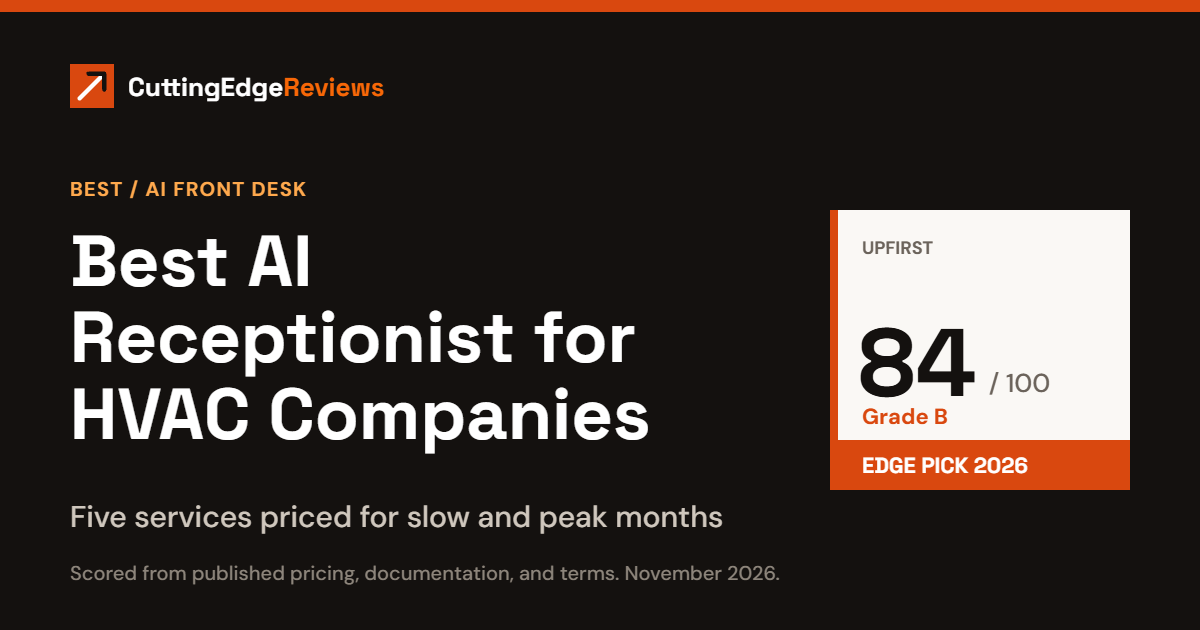
- Top score: Upfirst, 84 out of 100, grade B, and our Edge Pick.
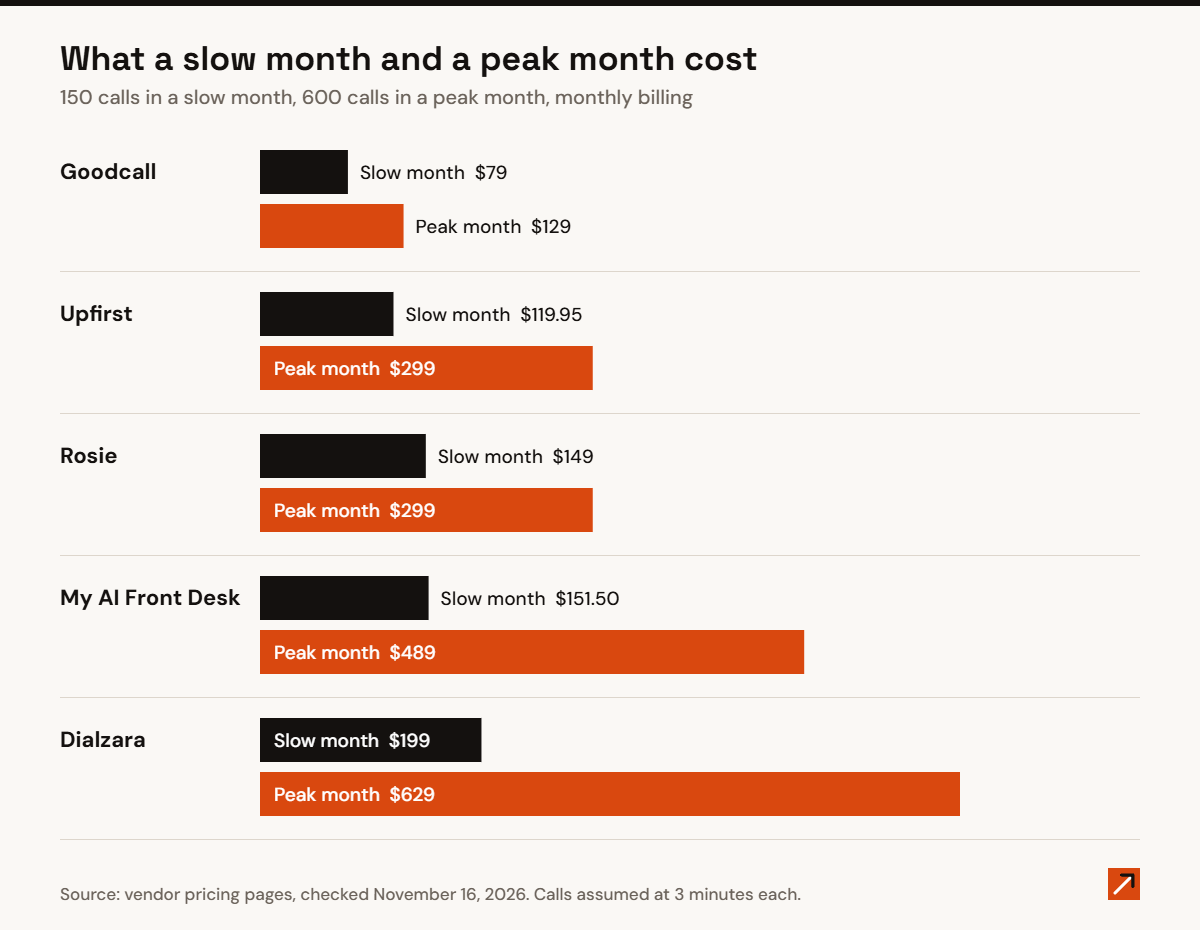
- In a peak month of 600 calls, the same five services cost from $129 to $629. See the seasonal cost table.
- Per-minute plans are the ones that jump in a heat wave. Two of these services do not bill by the minute at all.
- If you already run Jobber or Housecall Pro, each sells its own AI call answering. See the job software options.
The picks
- Edge Pick, best overall: Upfirst. Warm transfers for emergencies, booking, and spam blocking on every plan, and you can change plans month to month as volume swings.
- Lowest cost in peak season: Goodcall. It bills per customer, not per minute, so a 600-call month costs $129.
- Best after-hours escalation rules: Dialzara. After-hours rules and warm transfers from its $99 plan, though it is the most expensive at peak volume.
- Best for after-hours and overflow only: Rosie. It can be set to answer only when you do not, and its plans include the most minutes per dollar.
- Best with a built-in CRM: My AI Front Desk. Useful if you do not have job software yet.
HVAC phones do not ring evenly. A heat wave or a cold snap can triple the calls in a week, and the no-cool call at 9pm is the one worth the most. An AI receptionist answers every call, books the routine ones, and transfers the emergencies. For an HVAC company, two things matter more than the feature list: what the service costs when volume spikes, and what it does with an urgent call after hours.
This article is general information for business owners comparing services. It is not legal, tax, or financial advice. Prices and terms change, so confirm them with the provider before you sign.
The rankings
| Rank | Service | Edge Score | Billed by | Emergency transfers |
|---|---|---|---|---|
| 1 | Upfirst | 84 (B) | Call | Warm transfers on every plan |
| 2 | Dialzara | 77 (B) | Minute | Warm transfers and after-hours rules from the $99 plan |
| 3 | Goodcall | 74 (B) | Unique customer | Tries up to three contacts in turn |
| 4 | My AI Front Desk | 74 (B) | Minute | Transfers included, type not described |
| 5 | Rosie | 62 (C) | Minute | Warm transfers from the $149 plan |
Goodcall and My AI Front Desk tied at 74. Goodcall ranks higher because it costs far less at HVAC call volumes.
A worked example: a slow month and a peak month
Take an HVAC company that gets 150 calls in a slow month and 600 in a peak month, at about 3 minutes a call. That is 450 minutes and 1,800 minutes. For each service we use the cheapest plan that covers the volume.
| Service | Slow month, 150 calls | Peak month, 600 calls |
|---|---|---|
| Goodcall | $79 (about 100 customers, Starter) | $129 (about 400 customers, Growth) |
| Upfirst | $119.95 ($59.95 for 90 calls, plus 60 at $1) | $299 (600 calls, Scale) |
| Rosie | $149 (1,000 minutes, Scale) | $299 (2,000 minutes, Growth) |
| My AI Front Desk | $151.50 ($99, plus 250 extra minutes at $0.25, less $10 of credits) | $489 ($99, plus 1,600 extra minutes at $0.25, less $10 of credits) |
| Dialzara | $199 (500 minutes, Business Plus) | $629 ($349 for 1,000 minutes, plus 800 at $0.35) |
Goodcall’s figures assume its own ratio of about 150 calls for every 100 different customers. Rosie does not publish its overage rate, so we used the plan that covers the minutes. Upfirst, Goodcall, and Dialzara all let you change plans without a contract, which is what makes moving up for the season and back down practical.
1. Upfirst: 84 (B), Edge Pick
Upfirst includes 24/7 answering, warm transfers, appointment scheduling, spam blocking, and simultaneous calls in every plan, so an entry plan handles an emergency the same way a top plan does. It bills per call, so a long troubleshooting call costs the same as a short one, and spam calls do not count.
- Price: $24.95 for 30 calls, $59.95 for 90, $159.95 for 300, $299 for 600.
- Terms: cancel, upgrade, or downgrade at any time. 14-day free trial with no card.
- Watch for: it does not name Jobber, Housecall Pro, or ServiceTitan among its integrations. It connects to other software through Zapier and its API.
Source: Upfirst pricing, checked November 16, 2026.
2. Dialzara: 77 (B), best after-hours escalation rules
Dialzara lets you write the AI’s instructions and intake questions yourself. From the $99 plan it adds warm transfers and after-hours rules, so you can decide which calls wake the on-call tech and which wait for morning.
- Price: $29 for 60 minutes, $99 for 220, $199 for 500, $349 for 1,000. Extra minutes cost $0.48 down to $0.35.
- Terms: no setup fee, no contract, cancel any time. 7-day free trial.
- Watch for: per-minute billing makes it the most expensive of the five in a peak month.
Source: Dialzara pricing, checked November 16, 2026.
3. Goodcall: 74 (B), lowest cost in peak season
Goodcall counts each different caller once a month, however many times they call or how long they talk. It books into Google Calendar, sorts callers into new, existing, urgent, and spam, and when it transfers a call it tries up to three contacts until someone answers.
- Price: $79 for 100 customers, $129 for 500, $299 for 2,000.
- Terms: month to month, no setup fee, cancel inside the app. There is no pause option for a slow season, but you can downgrade and keep your setup.
- Watch for: it does not state its support hours or which languages it supports.
Source: Goodcall pricing and FAQ, checked November 16, 2026.
4. My AI Front Desk: 74 (B), best with a built-in CRM
My AI Front Desk is one plan with a CRM included, which helps a small shop that is not on job software yet. It answers in 20+ languages and books appointments on the call.
- Price: $99 a month with 200 minutes. Extra minutes cost $0.25.
- Terms: no contract, cancel any time. 7-day free trial with no card.
- Watch for: only 200 minutes are included, so a busy month runs up overage quickly.
Source: My AI Front Desk pricing, checked November 16, 2026.
5. Rosie: 62 (C), best for after-hours and overflow only
Rosie can be set up to answer only after hours or only when your line is busy, using conditional call forwarding. It trains itself from your website and Google Business Profile and answers in English and Spanish.
- Price: $49 for 250 minutes, $149 for 1,000, $299 for 2,000.
- Plan limits: booking directly into a calendar and warm transfers start at the $149 plan.
- Watch for: it does not publish its per-minute overage rate.
Source: Rosie pricing, checked November 16, 2026.
If you already use Jobber or Housecall Pro
- Jobber (our Jobber review) sells an AI Receptionist add-on for $29 a month, and includes it in its Plus plan.
- Housecall Pro (our Housecall Pro review) lists a product called CSR AI, which it says answers calls and books jobs around the clock. It does not publish the price.
We have not scored either as a stand-alone receptionist. Their advantage is that the call lands in the software you already schedule from. None of the five services above names a direct integration with Jobber, Housecall Pro, or ServiceTitan on the pages we read, so ask how bookings will reach your dispatch board before you choose.
How we scored
The Edge Score is 100 points: 50 for criteria every product is graded on, and 50 for criteria specific to AI front-desk services. Scores come from each provider’s published pricing, documentation, and terms. We did not test call quality or place test calls. When a provider does not publish something, it earns no points for it. Grades: A is 85 and up, B is 70 to 84, C is 55 to 69, and D is below 55. The Edge Pick is the highest-scoring service in its category.
Frequently asked questions
How much does an AI receptionist cost for an HVAC company?
For 150 calls in a slow month, $79 to $199. For 600 calls in a peak month, $129 to $629, depending on whether the service bills by the minute.
Can an AI receptionist handle emergency calls after hours?
It can transfer them. Upfirst includes warm transfers on every plan, Dialzara adds after-hours rules from $99, and Goodcall tries up to three contacts in turn.
Will it work with Jobber or Housecall Pro?
None of these five names a direct integration with either. Jobber and Housecall Pro each sell their own AI call answering inside their software.
Related reading
- Best AI receptionist for small business
- Jobber review
- Housecall Pro review
- Jobber vs Housecall Pro: pricing, fees, and scores compared
Last reviewed: November 2026.