Key numbers
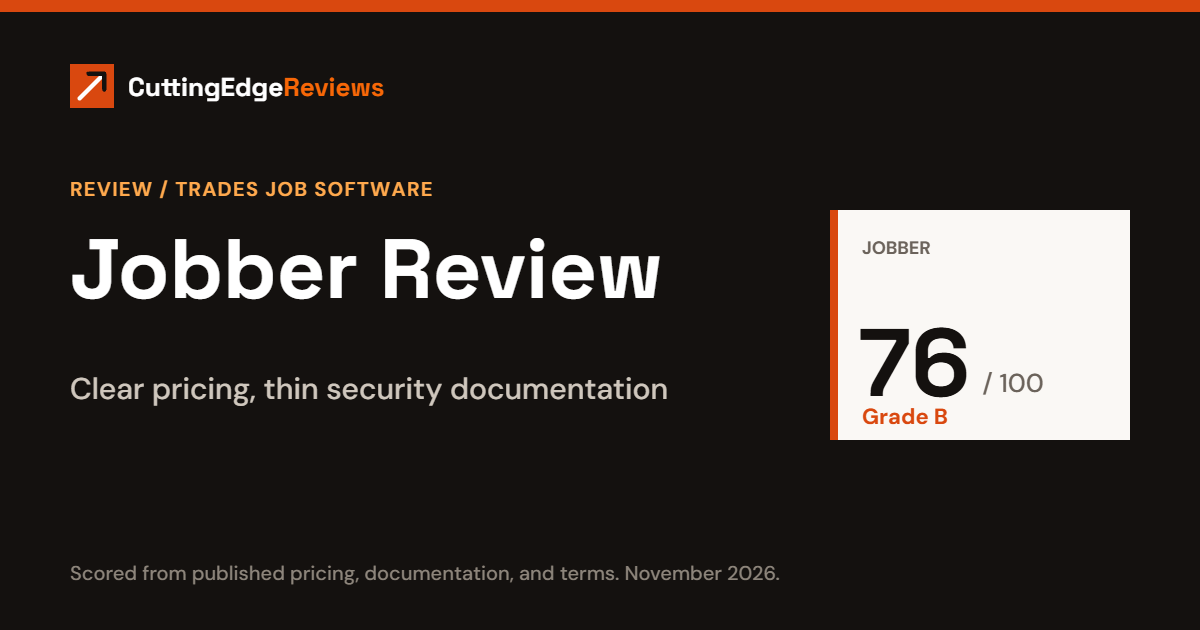
- Edge Score: 76 out of 100, grade B. See the scorecard.
- Price: $29 to $699 a month, by plan and team size.
- Card processing: 2.9% + 30¢ on every plan.
- Jobber’s security page does not name an audit report such as SOC 2. See security.
- One of its “monthly” billing options is a one-year contract. See contract terms.
The verdict
- Good fit: solo operators and teams of up to 15 who want to see the full price before talking to sales, and who want a month-to-month option.
- Think twice: if your customers or insurer ask for a SOC 2 report, or if you need live support on weekends.
- Biggest cost to watch: card processing, which usually costs more than the subscription.
Jobber is job management software for home service businesses: scheduling, quotes, invoices, payments, and a mobile app for crews. The company says more than 200,000 home service professionals use it. This review grades it on what Jobber publishes about itself: its pricing page, feature documentation, security page, and terms of service.
This article is general information for business owners comparing software. It is not legal, tax, or financial advice. Prices and terms change, so confirm them with Jobber before you sign.
What Jobber costs
| Plan | 1 user | Up to 5 users | Up to 10 users | Up to 15 users |
|---|---|---|---|---|
| Core | $29 | Not sold | Not sold | Not sold |
| Connect | $99 | $149 | $229 | $299 |
| Grow | $149 | $229 | $299 | $399 |
| Plus | Not sold | $399 | $449 | $529 |
Prices are per month on annual billing, in US dollars. Month-to-month billing costs more, from $49 for Core to $699 for Plus with up to 15 users. Jobber does not show a price for 16 or more users. Our Jobber pricing breakdown has every plan and a full cost example. Source: Jobber’s pricing page, checked November 16, 2026.
A worked example: a solo electrician for one year
An electrician working alone keeps books in QuickBooks Online, so Core is out and the plan is Connect. Customers pay 15 invoices a month online by card, averaging $400.
| Cost | Working | Per year |
|---|---|---|
| Connect, 1 user, annual billing | $99 × 12 | $1,188 |
| Card processing | $400 × 2.9% + 30¢ = $11.90 per invoice; × 15 × 12 | $2,142 |
| Total | $3,330 |
Scheduling and dispatch
- Calendar with custom views, color coding, and drag-and-drop editing.
- Recurring jobs added to the calendar automatically, with the option to change one visit or the whole series.
- Crews that can be assigned to a job in one action.
- Alerts to the field for new assignments, reschedules, and cancellations.
- Route optimization and live vehicle GPS location.
- Automatic appointment reminders and “on my way” messages to customers. Reminders are listed from the Connect plan up.
Jobber’s feature page does not say which plan includes route optimization or GPS, so confirm that before you choose a plan. Source: Jobber scheduling and dispatch, checked November 16, 2026.
Quotes, invoices, and payments
- Core: quotes, invoices, and online payment.
- Connect: automatic quote and invoice follow-ups, automatic payment collection, and QuickBooks Online sync.
- Grow: optional line items for upsells, quotes with images and reviews, and job costing.
- Card rates: 2.9% + 30¢ online, 2.7% + 30¢ with Tap to Pay, 1% for bank payments, and 1% extra for instant payout. The rates do not fall on higher plans.
- Financing: consumer financing is available through Wisetack in the app marketplace.
Mobile app
Jobber has iOS and Android apps. A Spanish version is available to field users, but not to administrators or account owners. Since a March 2026 update, crews can fill out job forms, review visit details and notes, and track time without a connection, and the app syncs when they are back online. Source: Jobber product update, checked November 16, 2026.
Integrations
Jobber lists more than 100 apps in its marketplace, including QuickBooks Online, Xero, Gusto, CompanyCam, Thumbtack, Angi, Google Local Services Ads, Mailchimp, and DocuSign. It also connects to Zapier and offers an open API. QuickBooks Online sync starts at Connect.
Support
Live support by phone, chat, and email runs Monday to Friday, 7am to 9:30pm Eastern. Outside those hours an AI assistant answers product questions in chat and the team replies by email. There is no live weekend support. Plus adds dedicated onboarding and Premium Support. Source: Jobber support hours, checked November 16, 2026.
Security
- Data is stored on Amazon Web Services and encrypted in transit with TLS.
- Jobber says it hires outside security firms to test its security at least once a year.
- Card payments are handled by Stripe.
- Two-step verification is by text message only, and is set up by the account owner.
- The security page does not name a SOC 2 report or any other audit of Jobber itself, and does not mention encryption at rest or backups.
This is where Jobber loses the most points. It may have more in place than it publishes, but we score what is documented. Source: Jobber security page, checked November 16, 2026.
Contract terms
- Three billing options: monthly with no commitment, monthly billing with a one-year commitment, and annual paid up front.
- The one-year commitment paid monthly is a 12-month contract. If you cancel early you keep paying, and you cannot move to a cheaper plan during the year.
- Every subscription renews automatically at Jobber’s then-current price.
- Fees are non-refundable, including for partial months.
- You cancel inside your account.
Source: Jobber Terms of Service, checked November 16, 2026.
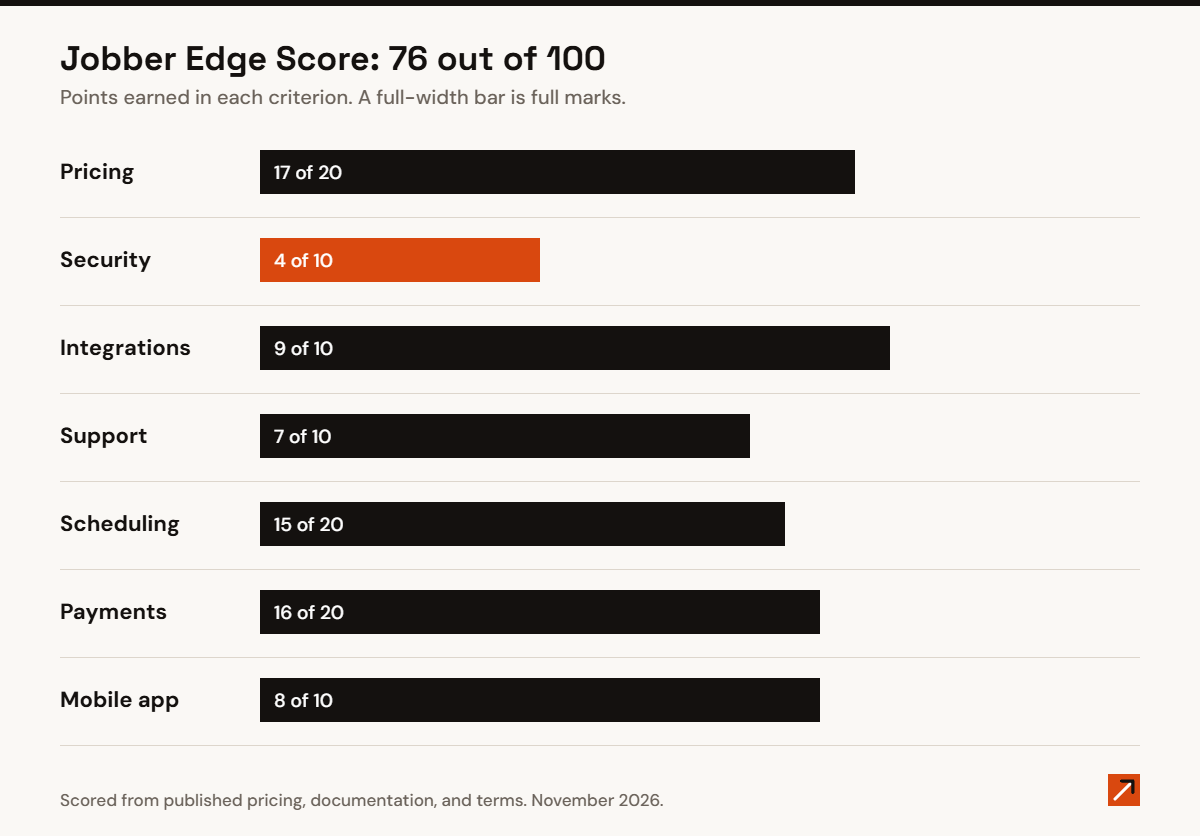
Edge Score: 76 out of 100 (B)
The Edge Score is 100 points: 50 for criteria every product is graded on, and 50 for criteria specific to trades job software. It comes from Jobber’s published pricing, documentation, and terms. We did not test the product hands-on.
| Criterion | Points | Jobber |
|---|---|---|
| Pricing & Total Cost | 20 | 17 |
| Security & Compliance | 10 | 4 |
| Integrations & Platform | 10 | 9 |
| Support & Onboarding | 10 | 7 |
| Scheduling & Dispatch | 20 | 15 |
| Quotes, Invoices & Payments | 20 | 16 |
| Mobile App | 10 | 8 |
| Total | 100 | 76 |
What we like, and what we do not
- Like: every plan price and the main add-on prices are published.
- Like: a true month-to-month option, and cancellation inside the account.
- Like: the app keeps working without a signal.
- Do not like: no named security audit.
- Do not like: no live support on weekends.
- Do not like: QuickBooks Online sync is not in the cheapest plan.
Frequently asked questions
Is Jobber worth it for one person?
Core is $29 a month on annual billing and covers quotes, invoices, scheduling, and online payment. If you need QuickBooks Online sync, you need Connect at $99.
Does Jobber work offline?
Partly. Crews can fill out job forms, review visit details, and track time offline, and the app syncs later.
Is Jobber SOC 2 certified?
Jobber’s security page does not name a SOC 2 report. Ask Jobber directly if you need one.
Can I cancel Jobber at any time?
On monthly billing with no commitment, yes, and service ends at the end of the billing period. On a one-year commitment you keep paying until the year is up. No option is refunded.
Related reading
- Jobber pricing: plans, fees, and what it really costs
- Jobber vs Housecall Pro: pricing, fees, and scores compared
- Housecall Pro review
- Best AI receptionist for HVAC companies
Last reviewed: November 2026.