Key numbers
- One user: Core is $29 a month on annual billing, or $49 month to month.
- Up to five users: Connect is $149 a month on annual billing, or $199 month to month.
- Card processing is 2.9% + 30¢ on every plan. For a shop that takes cards, it usually costs more than the software. See the worked example.
- One of Jobber’s “monthly” billing options is a one-year contract. See billing options.
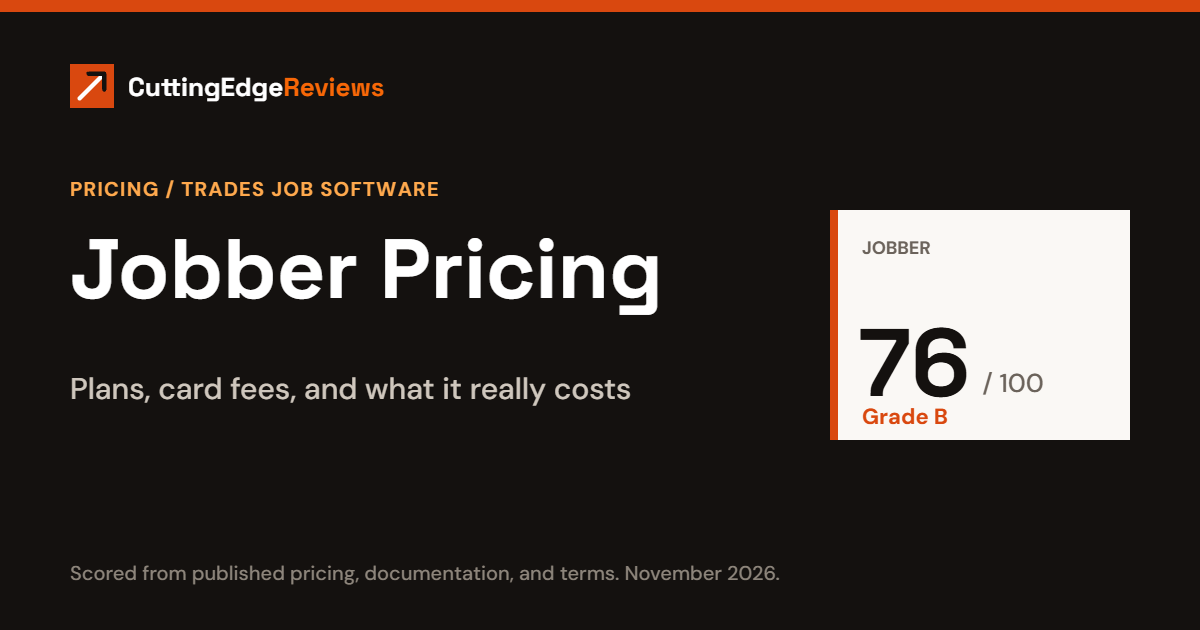
- Edge Score: 76 out of 100, grade B. See the scorecard.
Which plan to price first
- Working alone: Core at $29 a month, unless you keep your books in QuickBooks Online. Then it is Connect at $99.
- Two to five people: Connect at $149 a month. Move to Grow at $229 if you need two-way texting or job costing.
- Want the add-ons: Sales Pipeline, Marketing Suite, and the AI Receptionist cost $177 a month bought separately. Plus includes all three, so price Plus before adding them one at a time.
- Whatever you pick: start on monthly billing with no commitment. Jobber does not refund annual plans.
Jobber publishes its prices, which is less common in trades software than it should be. The price you pay depends on two things: which plan you pick and how many people need a login. The subscription is also only part of the bill. If you take card payments through Jobber, processing fees will usually cost more than the software.
This article is general information for business owners comparing software. It is not legal, tax, or financial advice. Prices and terms change, so confirm them with Jobber before you sign.
Jobber plans and prices
Jobber has four plans (Core, Connect, Grow, Plus) and prices them by team size band. All figures are US dollars and exclude sales tax.
| Plan | Team size | Monthly billing | Annual billing, per month |
|---|---|---|---|
| Core | 1 user | $49 | $29 |
| Connect | 1 user | $139 | $99 |
| Grow | 1 user | $199 | $149 |
| Connect | Up to 5 users | $199 | $149 |
| Grow | Up to 5 users | $299 | $229 |
| Plus | Up to 5 users | $499 | $399 |
| Connect | Up to 10 users | $299 | $229 |
| Grow | Up to 10 users | $399 | $299 |
| Plus | Up to 10 users | $599 | $449 |
| Connect | Up to 15 users | $399 | $299 |
| Grow | Up to 15 users | $499 | $399 |
| Plus | Up to 15 users | $699 | $529 |
Core is sold only to single users, and Plus is not sold to single users. Jobber does not show a price for 16 or more users. Source: Jobber’s pricing page, checked November 16, 2026.
What each plan adds
- Core: online booking, quotes, and invoices with online payment.
- Connect: adds QuickBooks Online sync, automated client reminders, automatic quote and invoice follow-ups, automatic payment collection, time and expense tracking, and job checklists.
- Grow: adds two-way text messaging with customers, job costing, automatic time tracking, and optional line items on quotes.
- Plus: adds crew scheduling, custom reports, unlimited photo and video storage, and dedicated onboarding with Premium Support. It also includes Sales Pipeline, Marketing Suite, and the AI Receptionist, which are paid add-ons on the lower plans.
The practical break is between Core and Connect. If you keep your books in QuickBooks Online, Core will not sync with it.
Add-ons
| Add-on | Price per month |
|---|---|
| Marketing Suite | $99 |
| Sales Pipeline | $49 |
| AI Receptionist | $29 |
Bought separately, the three add-ons come to $177 a month. Plus includes all three, so compare that against the price gap between Grow and Plus for your team size before adding them one at a time.
Card processing fees
| Payment type | Fee |
|---|---|
| Card paid online | 2.9% + 30¢ |
| Card taken in person with Tap to Pay | 2.7% + 30¢ |
| Bank payment (ACH) | 1% |
| Instant payout | 1% extra |
The rates are the same on every plan, so upgrading does not lower them. Jobber Payments is available in the United States, Canada, and the United Kingdom.
A worked example: an eight-person shop for one year
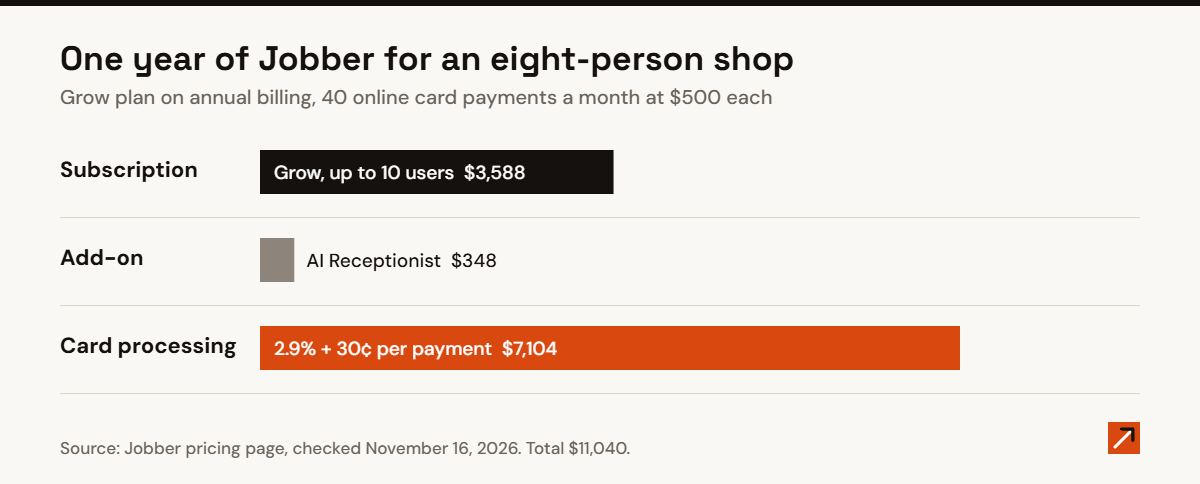
Take a landscaping company with eight people who need a login. The owner wants two-way texting and job costing, so the plan is Grow in the 6 to 10 user band, with the AI Receptionist add-on. Customers pay 40 invoices a month online by card, averaging $500 each.
| Cost | Working | Per year |
|---|---|---|
| Grow, annual billing | $299 × 12 | $3,588 |
| AI Receptionist | $29 × 12 | $348 |
| Card processing | $500 × 2.9% + 30¢ = $14.80 per invoice; × 40 × 12 | $7,104 |
| Total | $11,040 |
Processing fees are almost two thirds of the bill. If half of those customers paid by bank transfer at 1% instead, the processing cost would fall from $7,104 to $4,752 a year, a saving of $2,352. On month-to-month billing, the same Grow plan is $399 a month, or $4,788 a year, which is $1,200 more than annual billing.
Billing options and cancellation
Jobber sells three billing options, and they carry different commitments.
| Option | Commitment | If you cancel |
|---|---|---|
| Monthly, no commitment | None | Service ends at the end of the billing period |
| Monthly billing with a 1 year commitment | 12 months, paid in installments | You keep paying through month twelve, and you cannot move to a cheaper plan during the year |
| Annual, paid up front | 12 months | No refund |
- Every subscription renews automatically at Jobber’s then-current price.
- Fees are non-refundable, including for partial months.
- You cancel inside your account.
The option to watch is the middle one. It looks like a monthly plan on your card statement, but it is a one-year contract. Check which option is selected at checkout. For how it stacks up against its main rival, see Jobber vs Housecall Pro. Source: Jobber Terms of Service, checked November 16, 2026.
Edge Score: 76 out of 100 (B)
The Edge Score is 100 points: 50 for criteria every product is graded on, and 50 for criteria specific to trades job software. It comes from Jobber’s published pricing, documentation, and terms. We did not test the product hands-on.
| Criterion | Points | Jobber |
|---|---|---|
| Pricing & Total Cost | 20 | 17 |
| Security & Compliance | 10 | 4 |
| Integrations & Platform | 10 | 9 |
| Support & Onboarding | 10 | 7 |
| Scheduling & Dispatch | 20 | 15 |
| Quotes, Invoices & Payments | 20 | 16 |
| Mobile App | 10 | 8 |
| Total | 100 | 76 |
- Strongest area: pricing. Every plan and the main add-ons have a published price, and there is a month-to-month option with no commitment.
- Weakest area: security documentation. Jobber’s security page describes AWS hosting, TLS encryption, and yearly testing by outside firms, and does not name an audit report such as SOC 2. Two-step verification is by text message only.
- Mobile app: Jobber’s app lets crews fill out job forms, review visit details, and track time without a connection, then syncs when they are back online.
- Support: live phone, chat, and email support runs Monday to Friday, 7am to 9:30pm Eastern. There is no live weekend support.
Sources: Jobber security page and Jobber support hours, checked November 16, 2026.
Frequently asked questions
How much does Jobber cost per month?
From $29 a month for one user on annual billing, up to $699 a month for the Plus plan with up to 15 users on monthly billing.
Does Jobber have a free trial?
Yes. Jobber offers a free trial with no credit card required. Its pricing page does not state the length.
Does Jobber charge per user?
No. Jobber charges by team size band: 1 user, up to 5, up to 10, and up to 15. A team of six pays the same as a team of ten.
Can I get a refund if I cancel Jobber?
No. Jobber’s terms say fees are non-refundable, including for partial months.
Related reading
- Jobber review
- Jobber vs Housecall Pro: pricing, fees, and scores compared
- Housecall Pro pricing: plans, card fees, and what it really costs
Last reviewed: November 2026.